Walk one decision end-to-end.
The Chicago Bottleneck scenario covers every interaction in the system. Open the demo and click along — under five minutes from inbox to sealed forensic record.
Step 1 · Inbox
You land in the proposal queue. Two awaiting items: the Chicago Bottleneck reroute (CONSEQUENTIAL, amber) and the Apex Industrial emergency procurement (ESCALATION REQUIRED, red). Both carry urgent expiries — the system tells you which decisions are time-bound before you read any further.
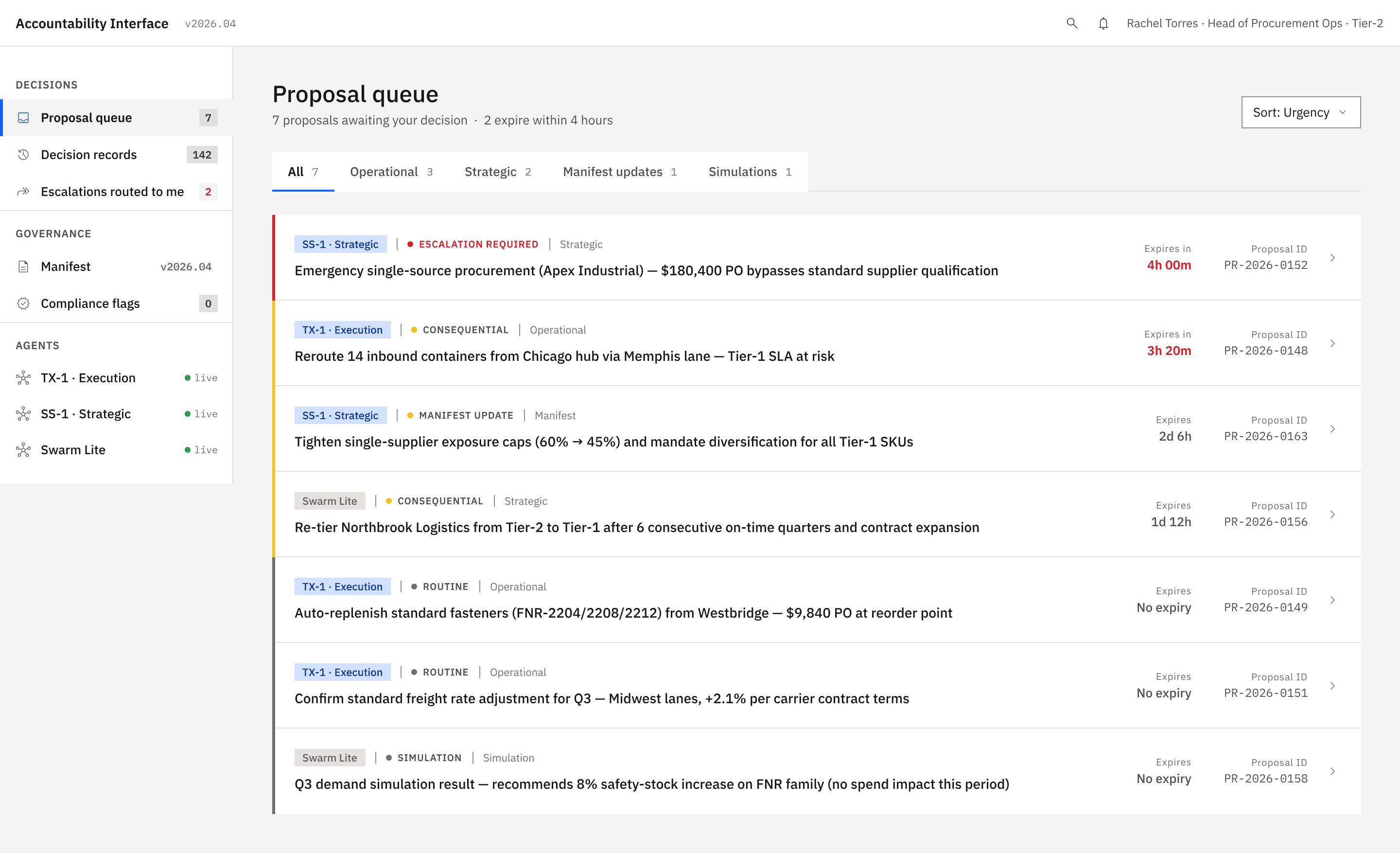
Click the Chicago Bottleneck row. The detail page loads.
Step 2 · Proposal Card with the gate active
The card opens with Approve disabled — greyed and unclickable. A small lock-icon strip at the bottom explains why: "Approve is disabled until you open Strategic Context."
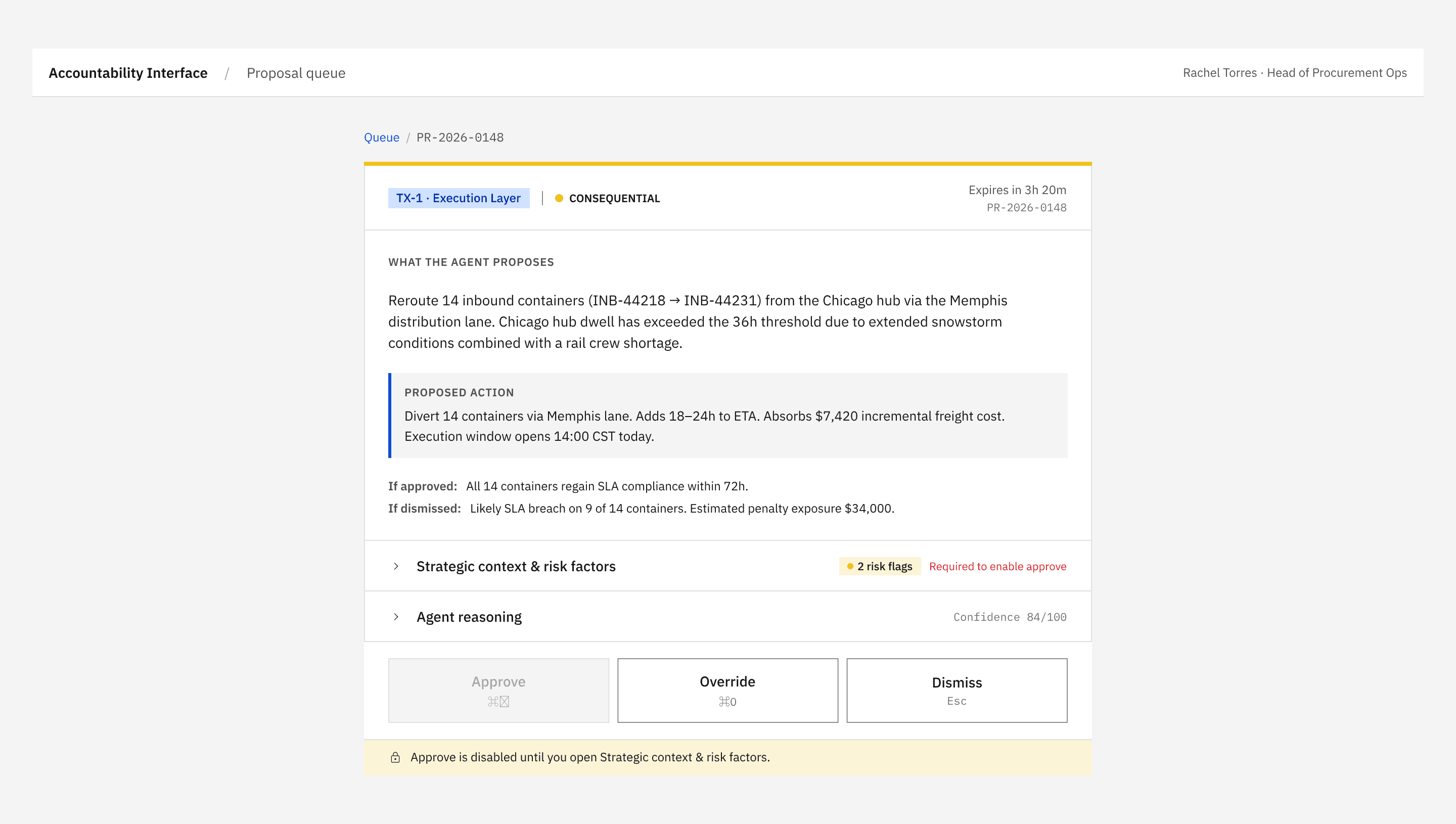
Notice what's already visible: source system (TX-1), decision type (CONSEQUENTIAL with the amber accent strip), expiry, the proposal ID, the summary, the proposed action, the if-approved/if-dismissed implications. The brief is complete before the gate is even opened — the gate just forces you to read the context.
Step 3 · Open the strategic context
Click "Strategic context & risk factors". The accordion unfurls. Three blocks render:
- Relevant manifest priorities — Tier-1 OTIF, cost escalation cap, both stamped with the manifest version.
- Triggered risk flags — Chicago hub dwell exceeded threshold, Tier-1 SLA breach probability over 50%, both in amber.
- Affected accounts — Meridian Foods (flagged SENSITIVE because their contract review is active), Northbrook Logistics, Sterling Grocers.
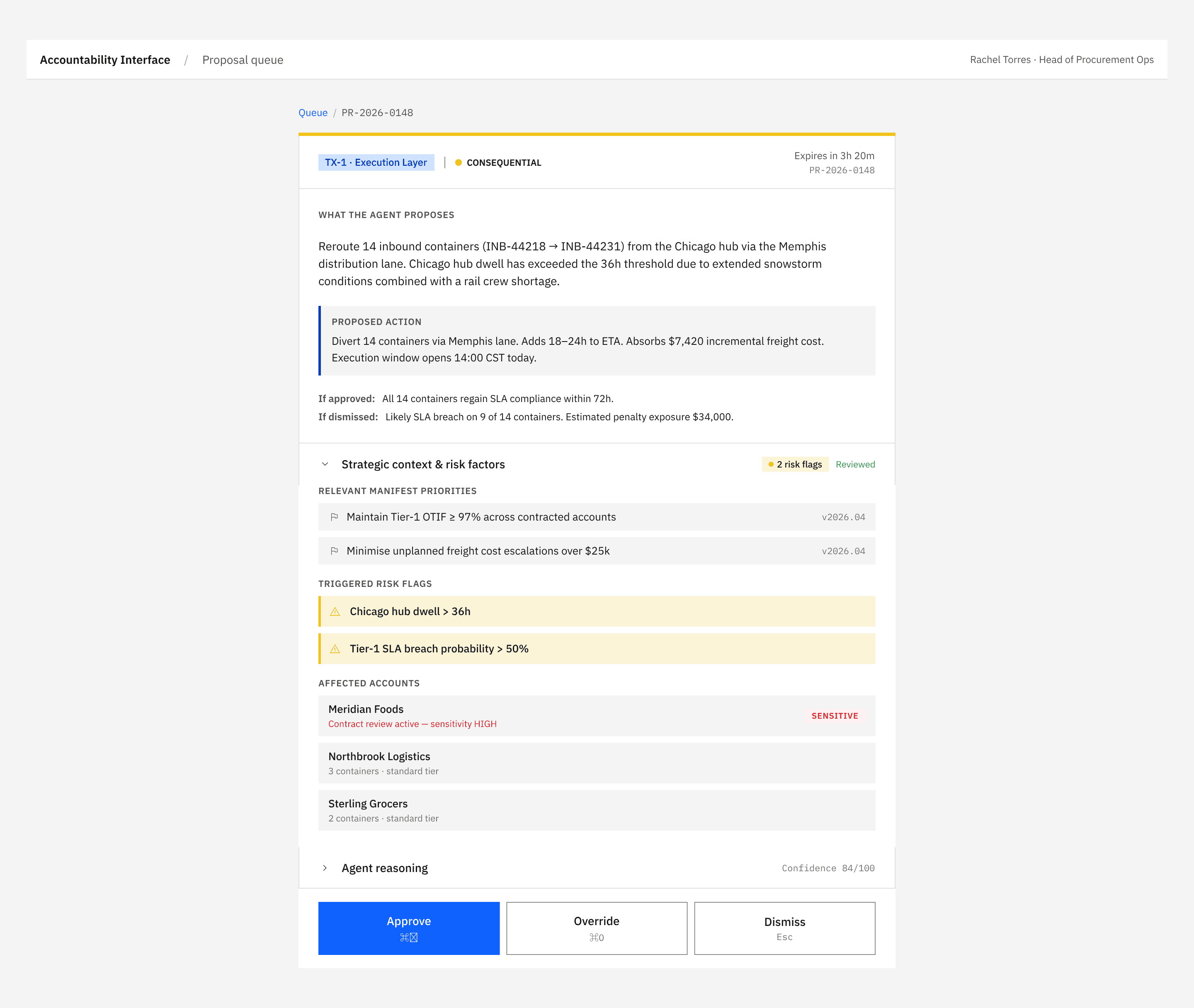
Meridian Foods is the deciding factor. Their sensitivity flag changes the calculus — pushing all 14 containers via Memphis is exactly what the agent proposed, but it exposes Meridian to a +24h delta at the worst possible moment. You decide to override.
Step 4 · Override Panel
Click Override (or press ⌘O). The Override Panel docks alongside the card — the proposal stays visible so you can refer to it.
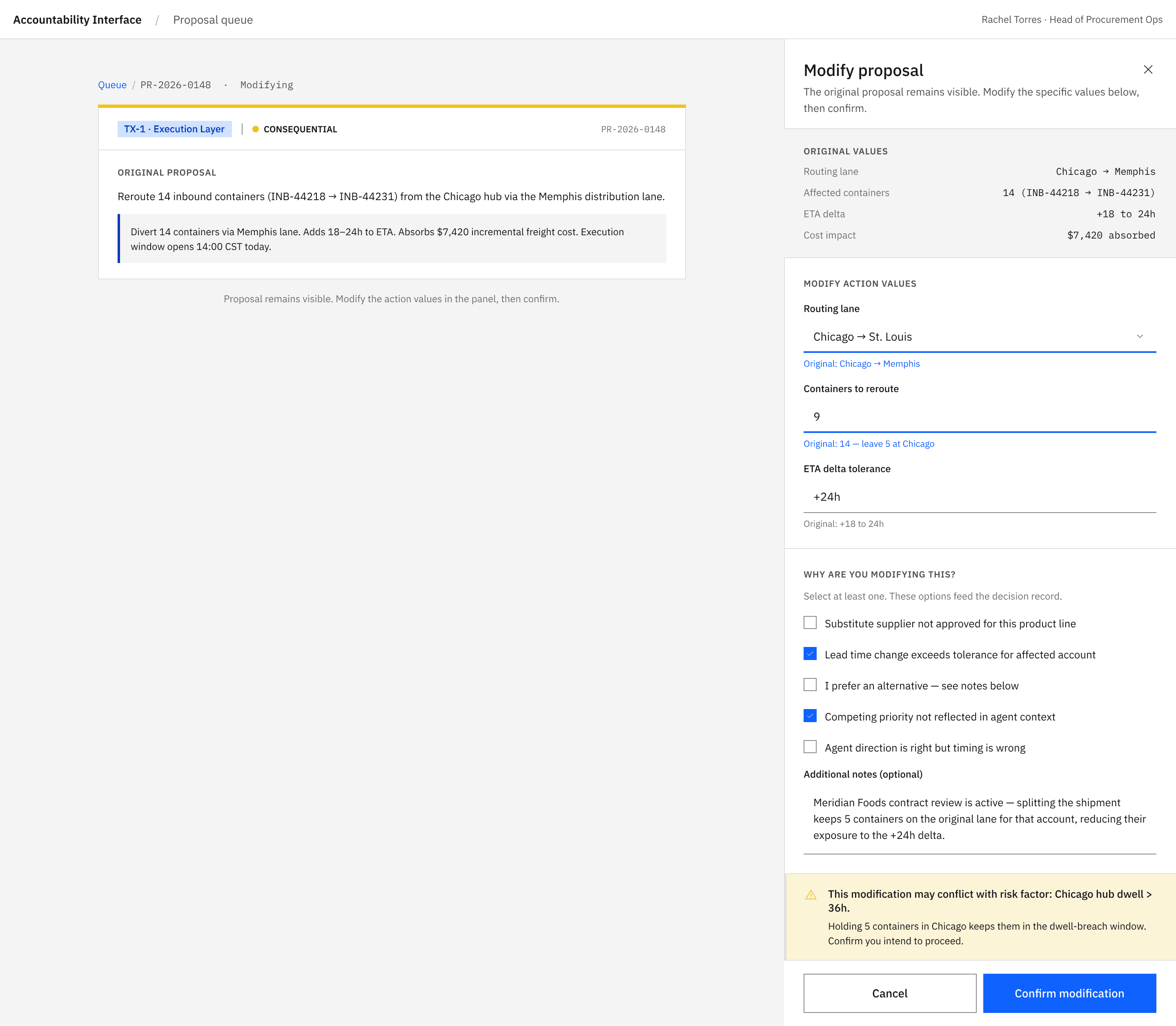
Change the routing lane to chicago→st_louis. Reduce the container count from 14 to 9 — Meridian's 5 containers stay on the original Chicago routing. Tick at least one rationale checkbox; capture a note explaining your reasoning. The conflict warning appears: holding containers at Chicago keeps them in the dwell-breach window. You acknowledge it. Confirm.
Step 5 · Decision Summary
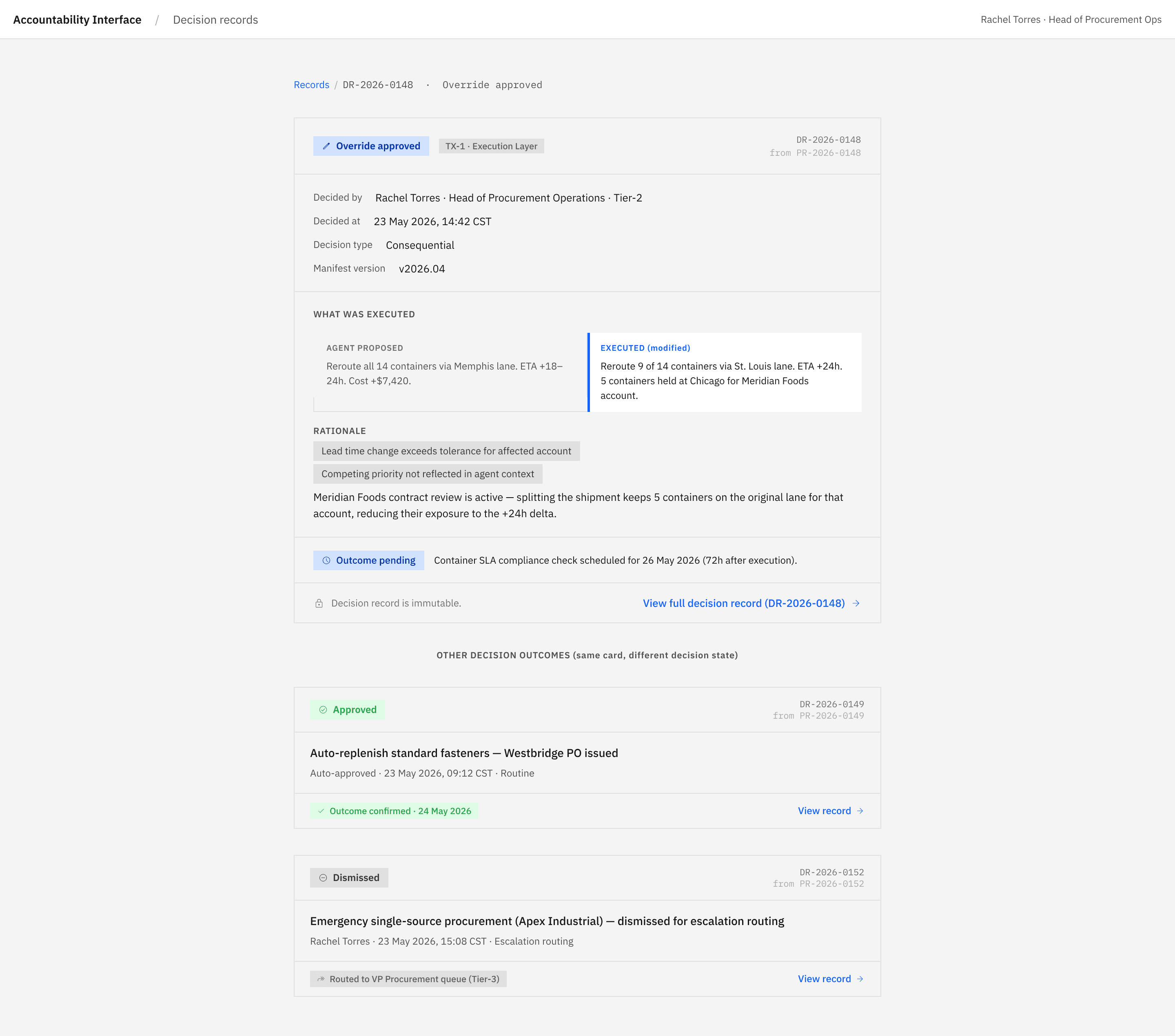
The card transitions to the immutable post-decision summary. The blue Override-approved badge shows the outcome. The before/after panel shows what the agent proposed and what was actually executed.
Step 6 · Forensic record
Click "View full decision record". The forensic document opens — this is what the auditor would see six years from now.
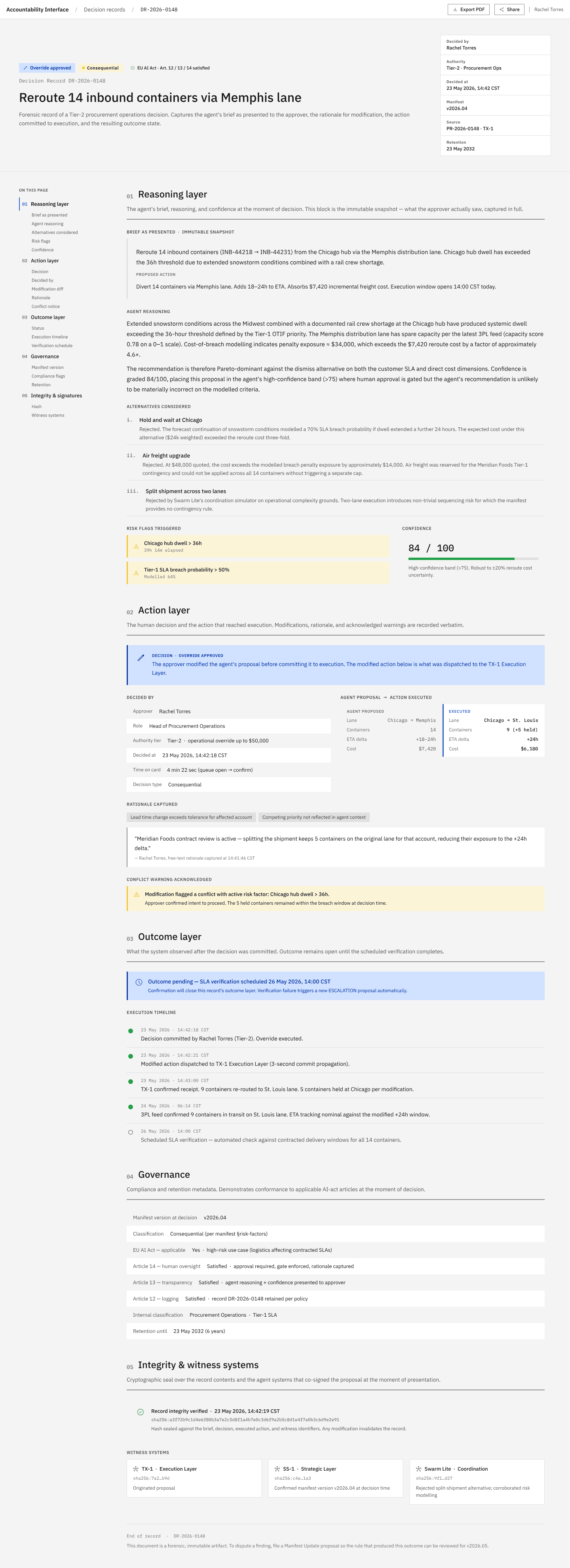
Notice the sha256: hash on the immutability strip. It's a genuine hash, computed by the FastAPI sidecar at decision-commit time over the sealed fields. Modify any of those fields and the hash invalidates — the record's integrity is cryptographically defensible.
Reset the demo to replay
The queue now shows "All caught up". Click Reset demo in the empty state — the SQLite database is wiped and the canonical scenarios re-seeded. You're back where you started.